
Open Recipes
Open Recipes from Fuel and use +. Free includes two saved recipes; Fuel or Train + Fuel removes that limit.
Add the details
Give the recipe a name and set the number of servings it makes. Add a photo if you want one. The builder steps through Details, Ingredients, Method and Review.
Choose each ingredient and enter its quantity. Check the product, units and raw or cooked preparation state. Include extras such as cooking oil when they belong in the recipe.
Review before saving
Check the ingredients and nutrition per serving. Changing the serving count changes how the recipe totals are divided; it does not change the amount of food in the recipe.
Track your portion
Open the saved recipe and use Track. Choose the diary date, meal section and portion before confirming. Add to meal planner schedules it instead of recording it as eaten.
When building a meal from foods already in the diary, use Create recipe from meal to save that combination for another day.
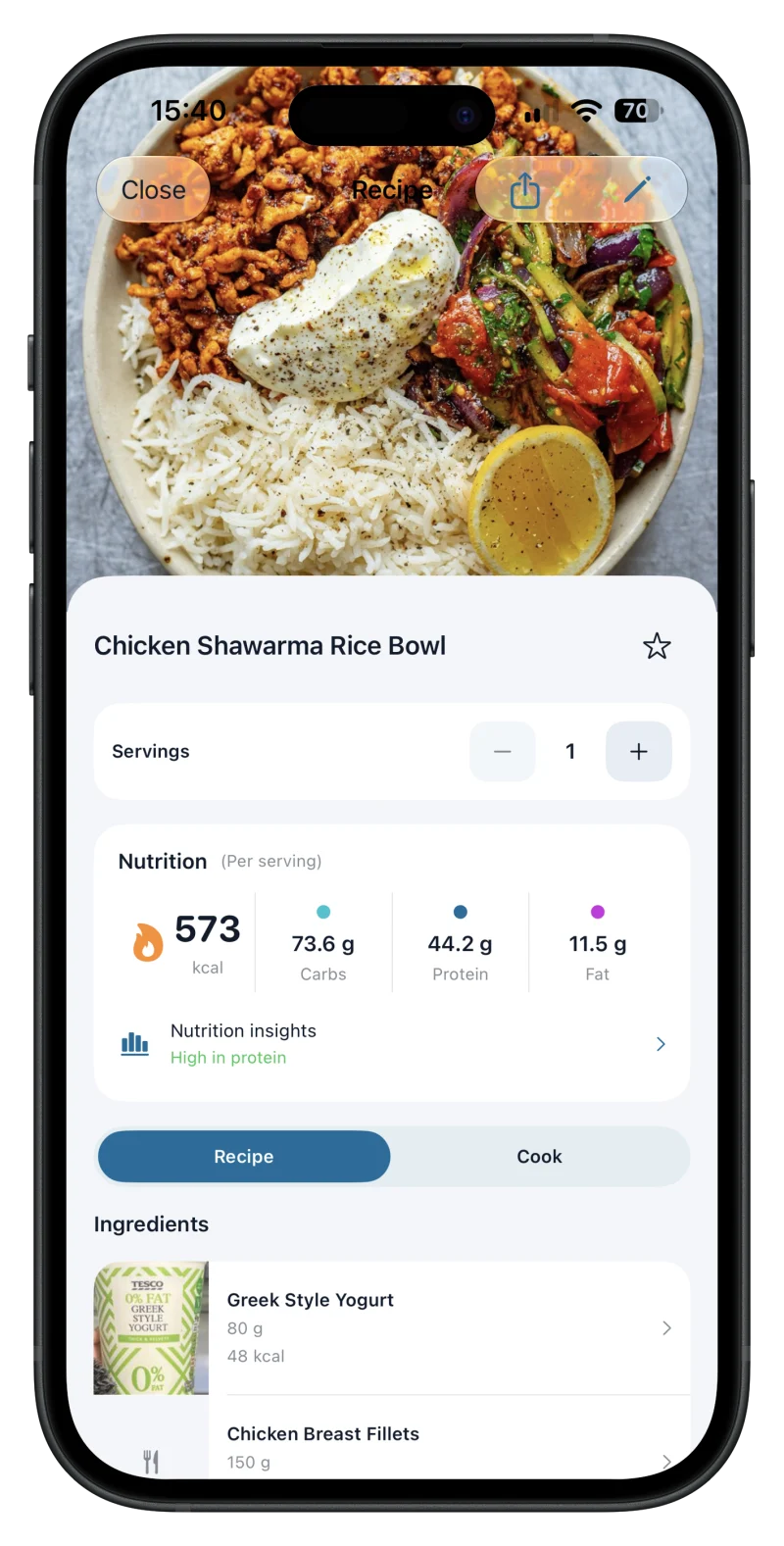
Recipe details show ingredients, portions and nutrition before you track it.
View full-size screenshot ↗Need a hand? Contact admin@gorivo.co.uk.