Find your next exercise.
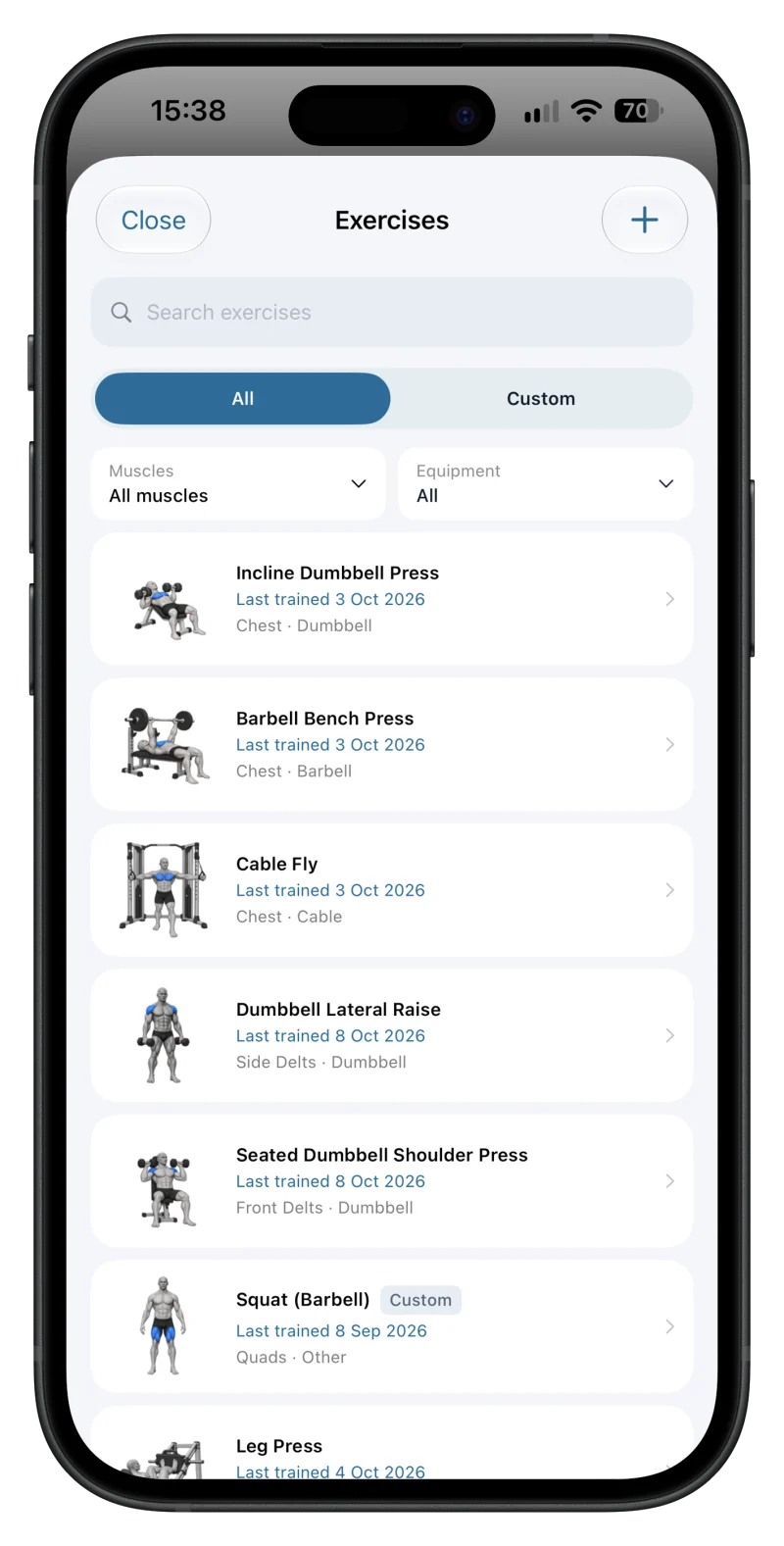
Browse the exercise library, filter by muscle and equipment, and add your own movements.
Create routines, log sessions and see what you did last time.
Start an empty workout, open a saved routine or follow a programme. The same set log keeps your performance and exercise notes together.
Choose exercises, set the number of sets and put related workouts into groups. Search the library by muscle and equipment, or create a custom exercise.
Log weight and reps, holds, distance or duration according to the exercise. See your previous performance beside each set. Add RPE when you want to track effort.
Supersets and giant sets stay visibly grouped. Add EMOM, AMRAP or For time blocks when your session needs an interval or a timed result.
Rest and exercise timers stay available while you train. The plate calculator uses your saved plates and bar, and shows when a load cannot be made.
View the whole session or concentrate on one exercise. On a landscape tablet, a separate panel shows workout progress, the exercise list and muscle map.
Your active workout is saved on the device. If posting fails, the saved session remains available to retry when you reconnect.
Train includes personalised plans and specialist programmes, including calisthenics, kettlebell and mixed-modal training. Preview the sessions, then follow the next workout from the Programmes tab.
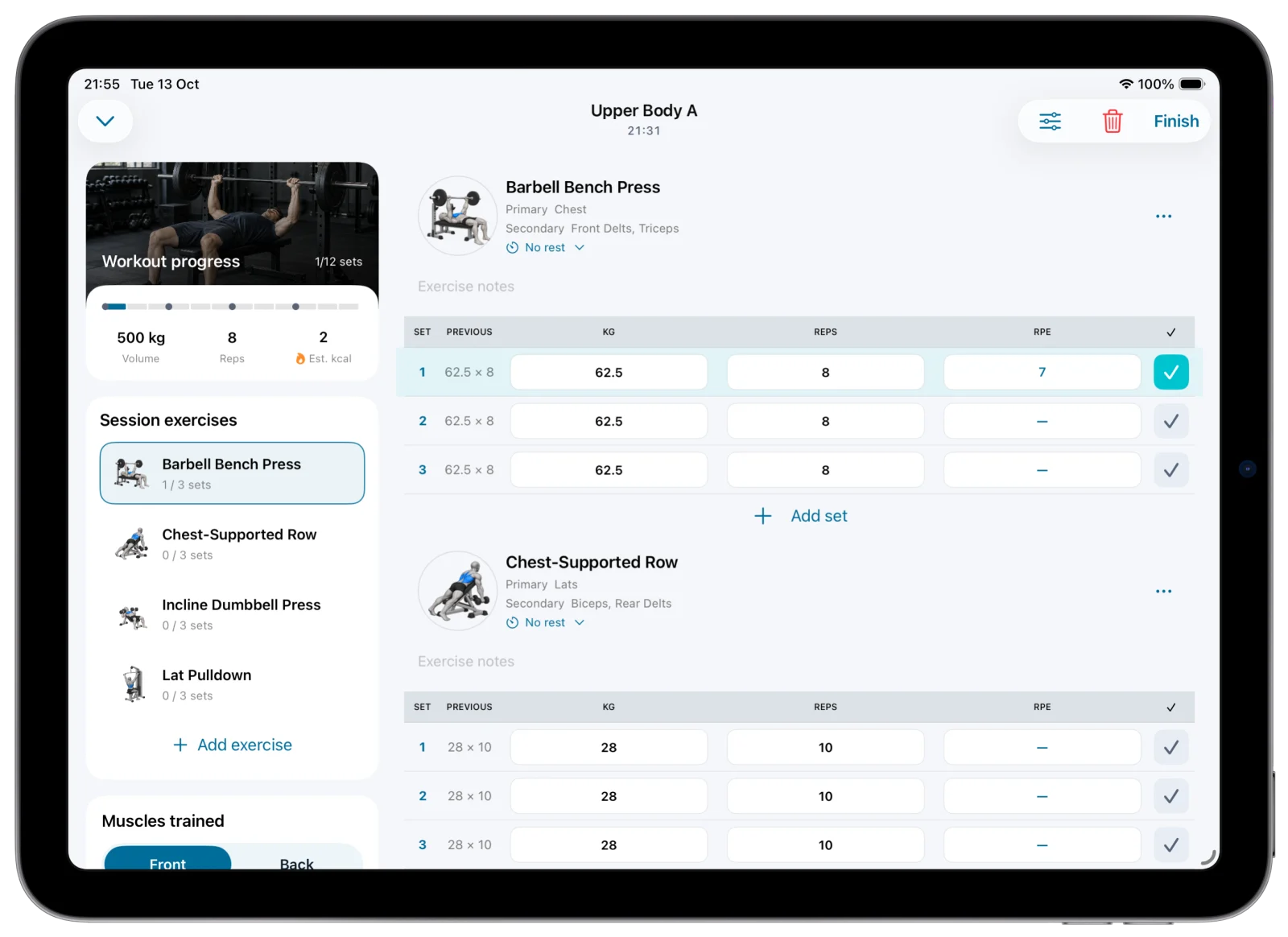
See session progress, your exercise list and a larger muscle map beside the set log. Select an exercise to jump to it, or use focus mode.
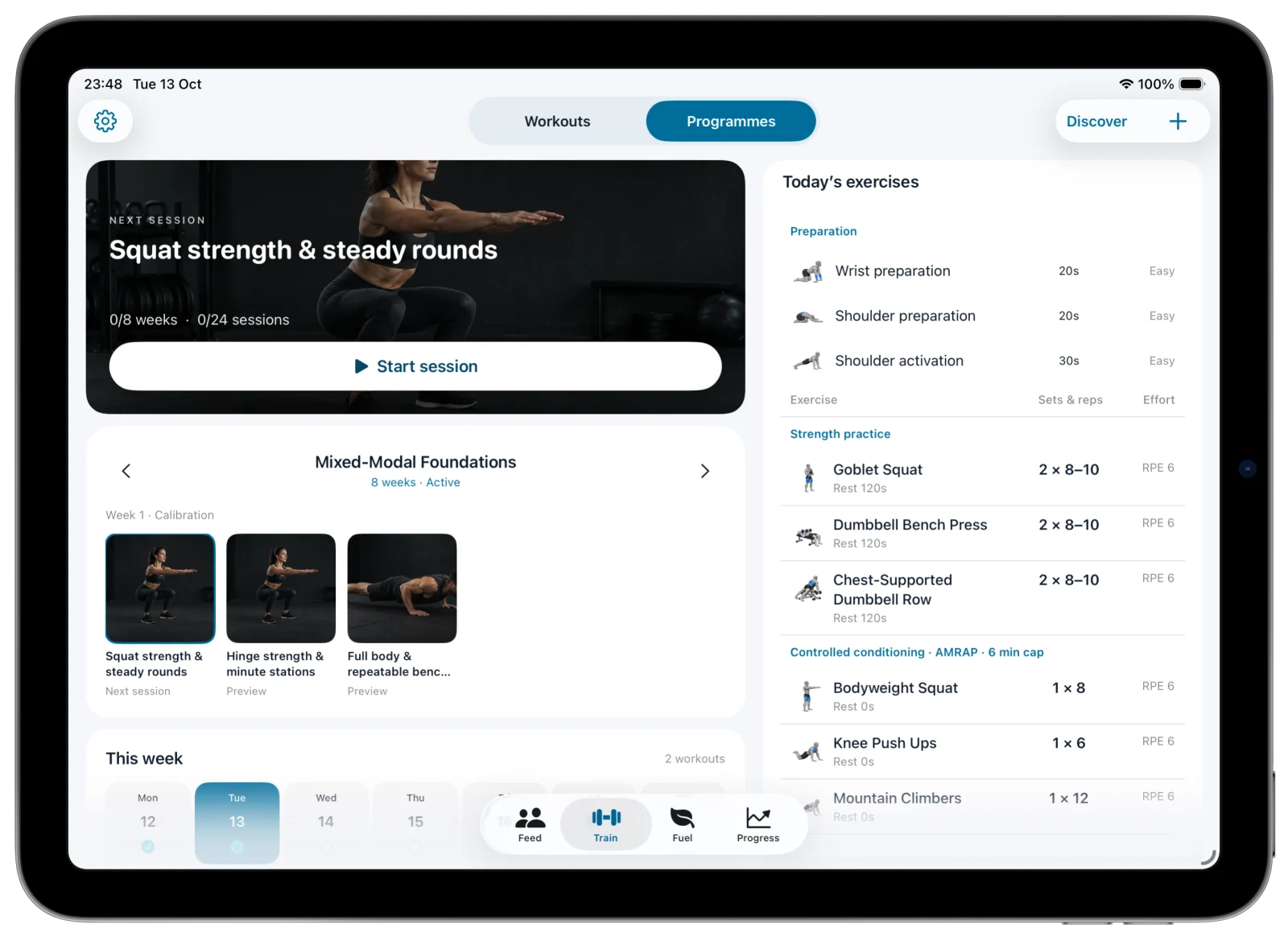
View the week’s sessions, check the exercises and follow your completed weeks and sessions. Your own workouts remain separate from programme progress.
Browse the exercise library, filter by muscle and equipment, and add your own movements.